2 - Planner Integration
When the Product Configurator is opened using the Home Planner, the displayed user interface will have some differences compared to the standalone version.
Header
A header is added at the top of the configurator:
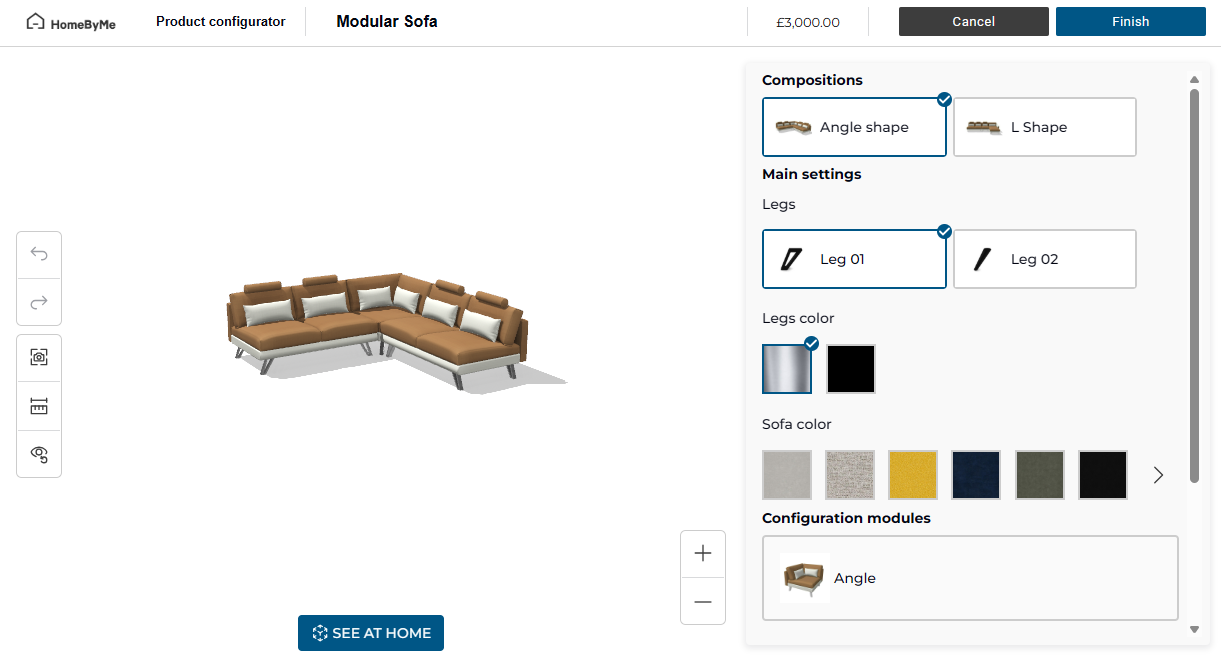
From left to right, the header contains:
- A logo. The same as the splashLogo. 🔗
- The name "Product Configurator".
- The name of the product.
- The price of the product (if any is available).
- A "Cancel" button, used to close the configurator without saving the configuration.
- A "Finish" button, used to save the result in the Home Planner.
Project bar
The project bar is always disabled when the Product Configurator is used inside the Home Planner. The information it provides are available in the header.